Your first config
The first time you start it, SimLogix sets up your rig with you, one device at a time, then shows you your config. A config gathers what you use for a game, and starts in one move.
- 5 min
- on first launch
A config is your rig for one game: the screens and their dashboards, the phone, the LEDs, the buttons, and what the rig does when you’re not driving. The first launch builds one; after that, it starts in one move, or on its own with your game.
1 · Your hardware, one device at a time
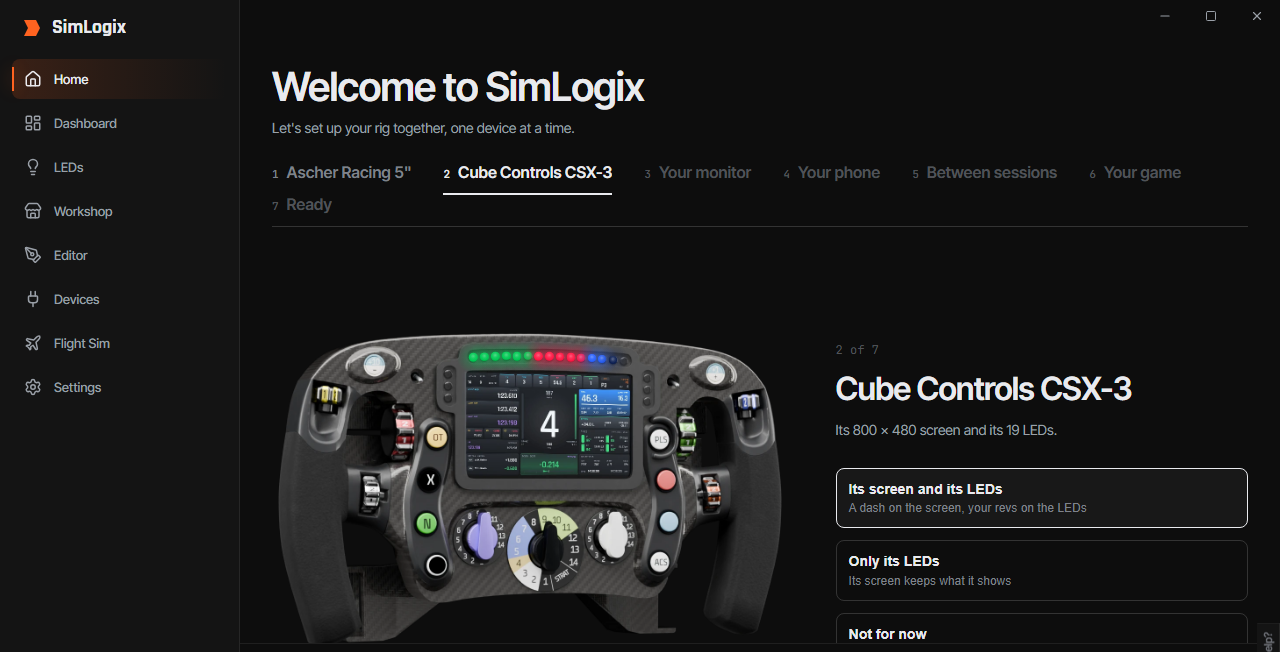
Let's set up your rig together, one device at a time. For each one, a question, and Next.
- A wheel blinks white: look at it. Its screen and its LEDs, Only its LEDs, or Not for now.
- A USB screen shows a test pattern: Yes, I see it, It stays black (it needs its driver), or I don't use it.
- Your monitor: Yes, I have a second monitor, or No thanks.
- Your phone: scan the code, then Done, it shows; otherwise No need.
- Between sessions: what your rig shows when you’re not driving (below).
- Your game: if it’s running, SimLogix offers it. Otherwise, pick it.
Your LED profiles, a missing device, the engine not answering
- If SimLogix finds LED profiles set up in another program, it offers Bring over your LED profiles from this PC ({n}). Otherwise, each wheel you keep gets a ready-made rev bar.
- A device is missing? Plug it in: it shows up without restarting the app.
- SimLogix can't read your hardware: an antivirus sometimes blocks the engine on first launch. Allow SimLogix, then Restart, or Continue without.
2 · Your config is ready
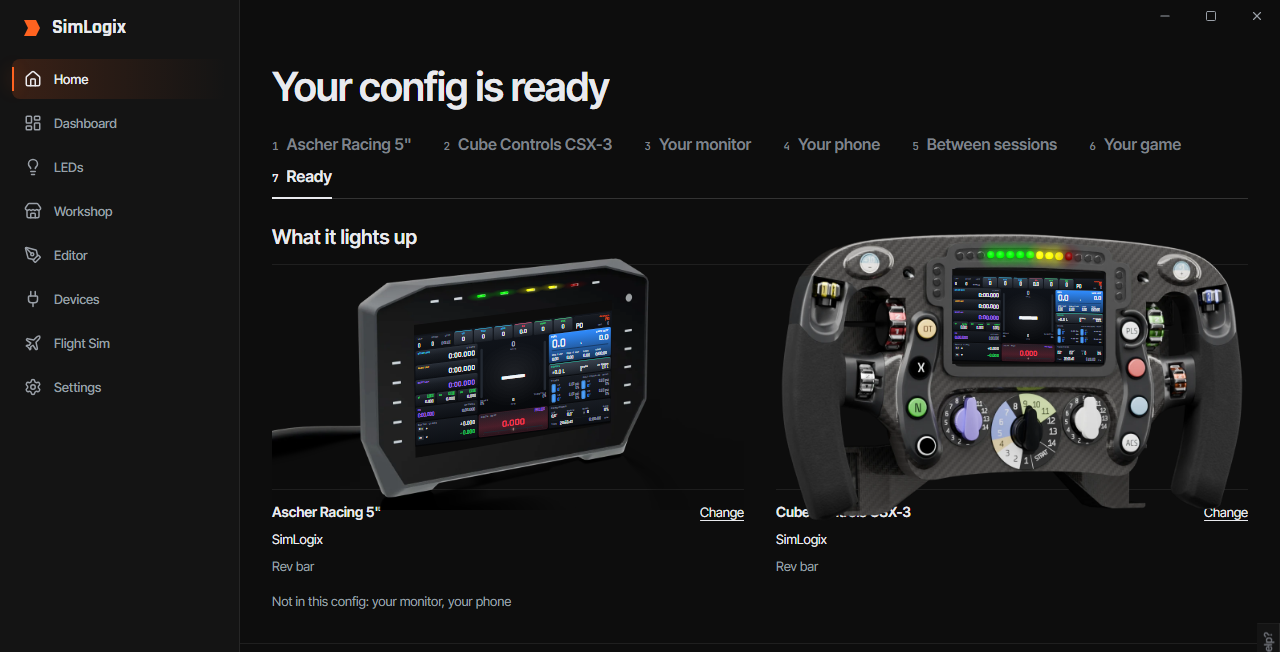
Your config is ready: What it lights up, device by device, with each screen’s dashboard. Change goes back to a device.
- Give it a name.
- Look at Between sessions: what your screens show when you’re not driving, and your LEDs following.
- Drive if your game is running (your screens light up), otherwise Save.
The dashboard that follows the car, the LEDs, starting on its own
- In GT3 and prototype, the dashboard follows the car: each GT3 has the real car’s screen, prototypes have the GTP / LMH.
- The LEDs you keep that no profile drives get a “Rev bar” profile made for them, created when you save.
- The config starts on its own when your game starts.
3 · Between sessions
What your rig does when you’re not driving, in the garage and with the game closed. You change it later in your config, Between sessions step.
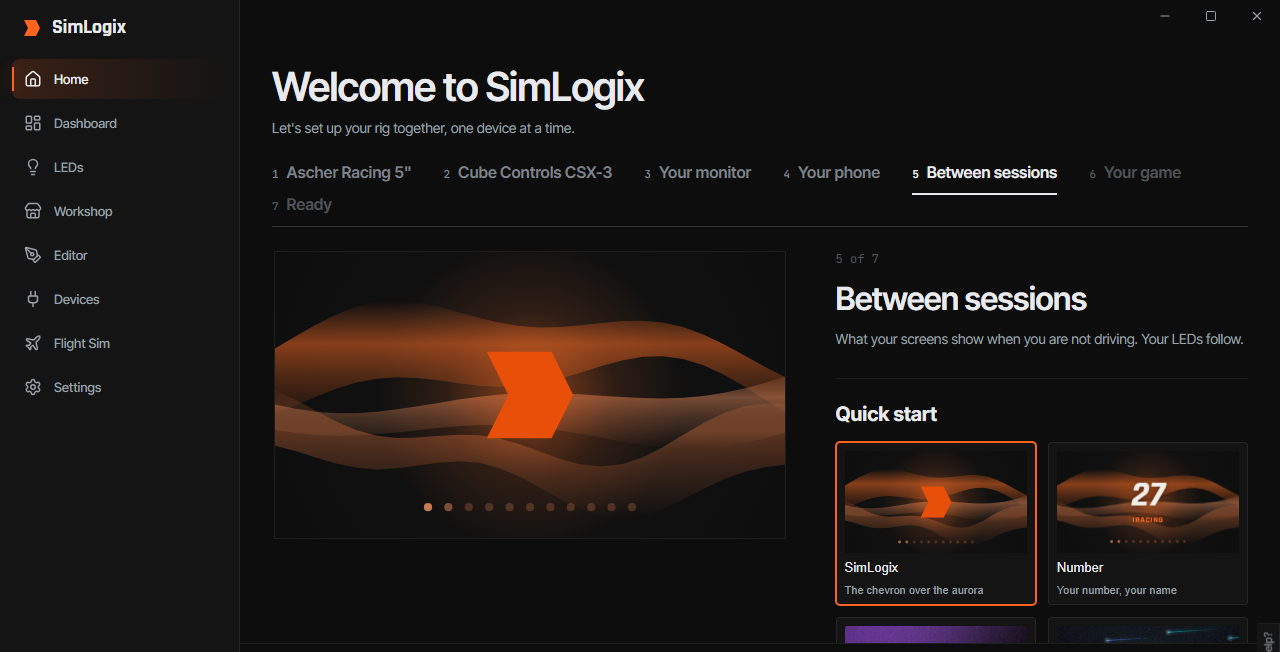
What the screen shows, the LEDs, sleep
- Quick start: SimLogix, Number, Team, Grid, Rally or Minimal; then Background.
- The screen also shows your number and your name, if you want.
- The LEDs of its wheels: like the screen, breathing, comet, wave, in your colours, or off. An LED profile with its own game-closed animation keeps it.
- Sleep: after 5, 15, 30 or 60 minutes without a game, or never. Your screens and LEDs come back when the game starts.
- In the garage, a dashboard with its own garage page, like the SimLogix dash, shows it instead of this screen.
Then, on the home page
- The config of the moment: Roll out, Stop, Edit.
- Devices: each device’s name and settings.
Good to know
Check it works
- On the home page, The config of the moment shows your config.
- Roll out: your screens light up.