Your first dash
A complete race dash for a 5-inch wheel screen (854 × 480), built from scratch in the editor, one chapter at a time.
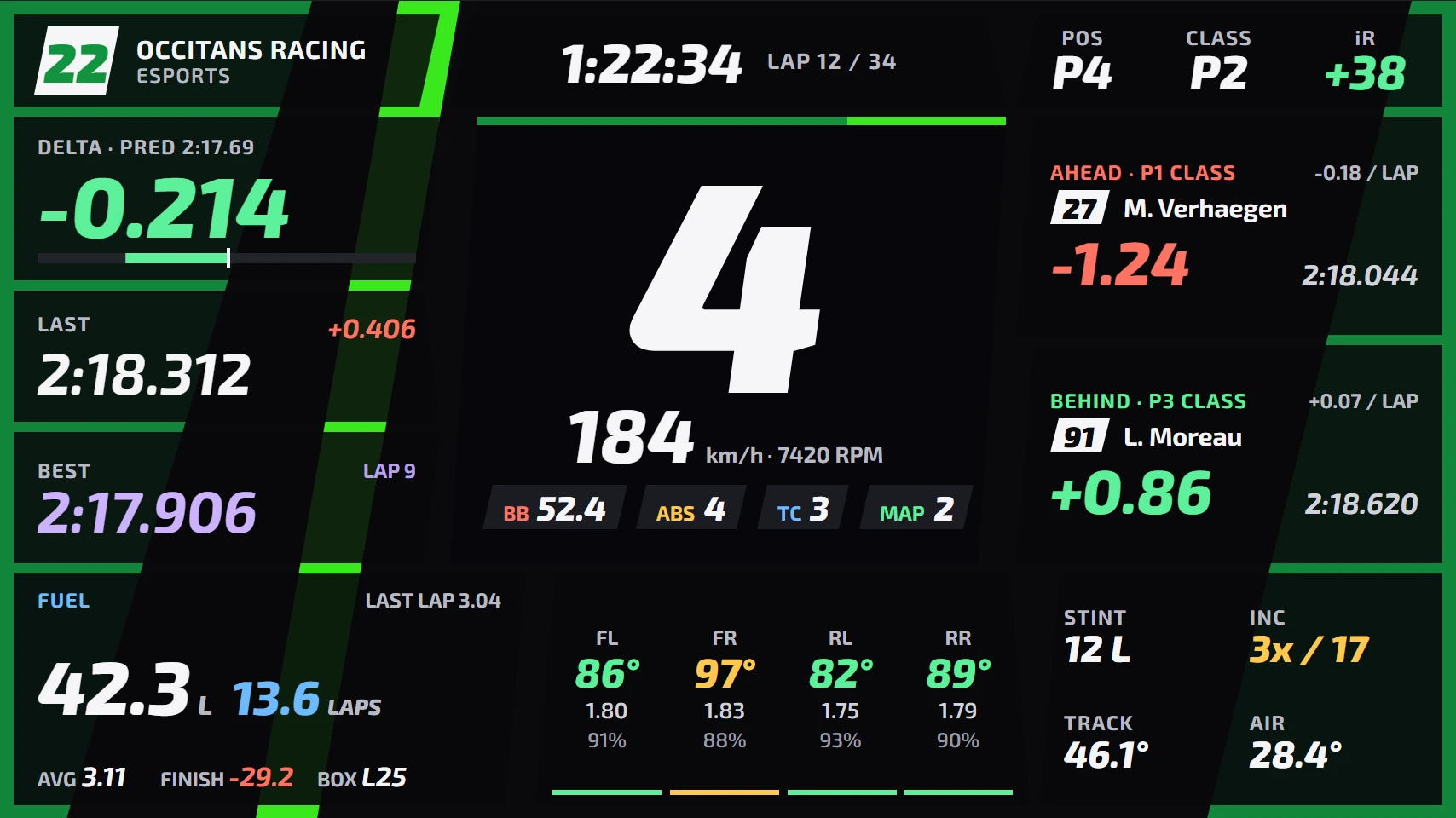
The dash above, piece by piece. Each chapter shows its gestures filmed in the app and ends on a checkpoint: the dash as it stands at the end, to open in the editor and carry on from there. The editor lessons explain each tool; this project puts them end to end.
- 01The screen and the liveryA dashboard in 854 × 480, the team livery on the diagonal, the grid of tiles and the number plate.15 min
- 02Gear and speedThe first data: the gear in large, the speed and its unit, the revs, then the dash on the move.12 min
- 03The knobsBrake bias, ABS, TC, engine map: four chips under the speed, and “--” when the car doesn't have the knob.10 min
- 04Lap timesThe last lap, the best one and its number, and the gap from one to the other, coloured by an Expression.12 min
- 05The deltaAhead of or behind the best lap, to the thousandth, the predicted lap, and a bar that leans left when you gain time.15 min
- 06The raceTime remaining and the lap, the overall and class position, the iRating gain; below, the stint, the incidents and the temperatures.18 min
- 07The rivalsThe car ahead and the car behind, in your class: their number, their name, the gap, how it moves, their last lap.15 min
- 08The fuelWhat is left in the tank, how many laps that makes, the consumption, the margin at the flag and the lap to pit on.15 min
- 09The tyresFour columns, one per tyre: the coloured temperature, the pressure, the wear, and a coloured line at the bottom.15 min
- 10The flagA banner and a frame in the flag's colour, which only show under a yellow, blue or red flag.12 min
- 11The settingsThe team colour, the stripe colour and the speed unit become settings: whoever installs your dash picks them in Customize.10 min
- 12The pit pageA second page, which takes the screen on its own in the pit lane: the limiter, the distance to your box, the speed against the limit.15 min
- 13The service and the stopWhat the stop will do: fuel, tyres, repair; what it will cost; whether the fuel reaches the flag; where you will rejoin.18 min